Dashboard
Broker workspace overview
Give brokers and managers one place to see renewals due, active claims, open tasks, client activity and operational exceptions.
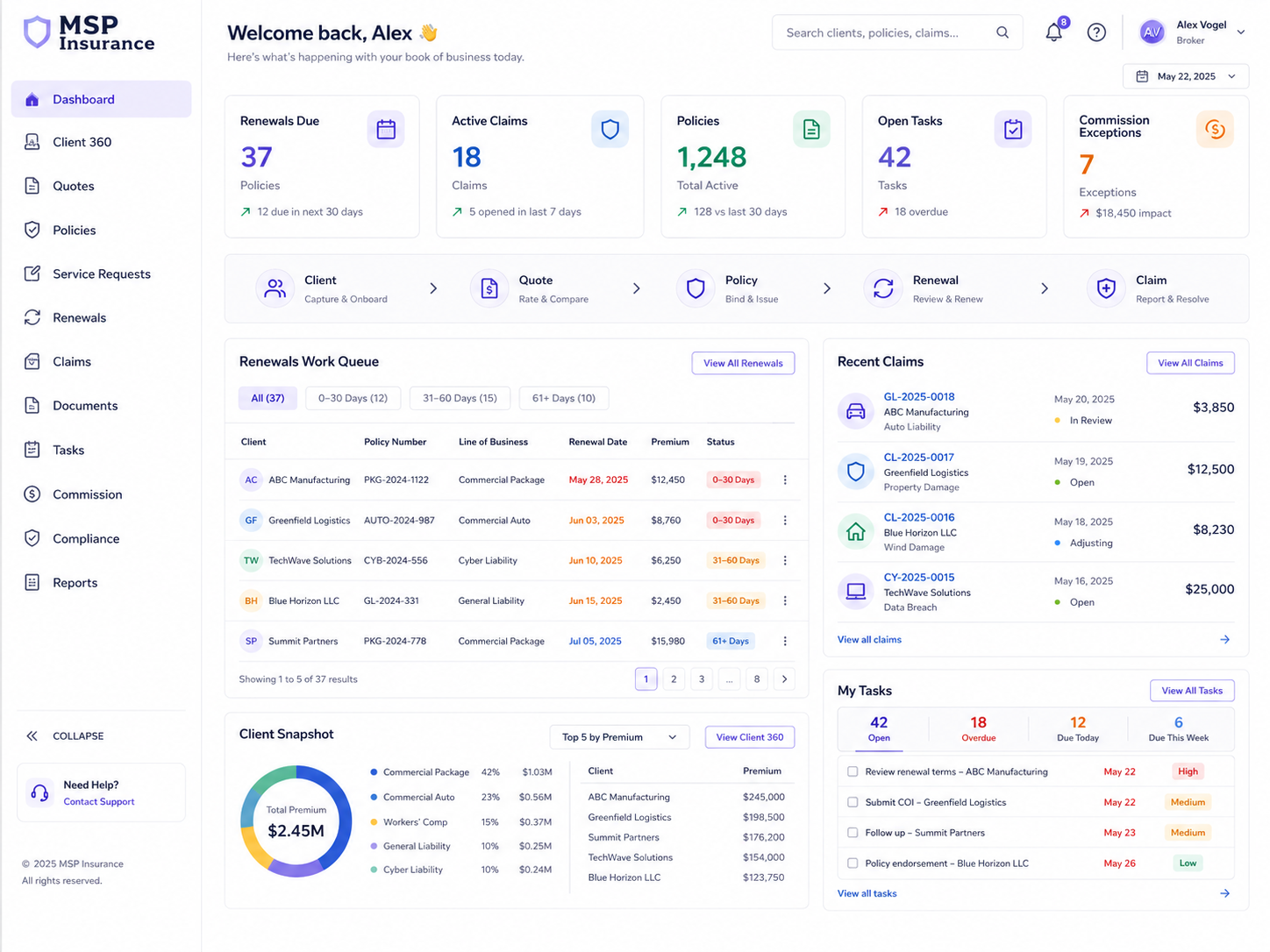
MSP Insurance brings clients, quotes, policies, renewals, claims, documents, commission and compliance into one secure operational workspace — replacing the spreadsheets, email trails and shared folders that slow broker teams down.
A modern, clean operational workspace for broker teams — designed to make daily work clearer, faster and easier to manage. No skewed layouts, no vague concepts, just a straight product presentation.
Give brokers and managers one place to see renewals due, active claims, open tasks, client activity and operational exceptions.
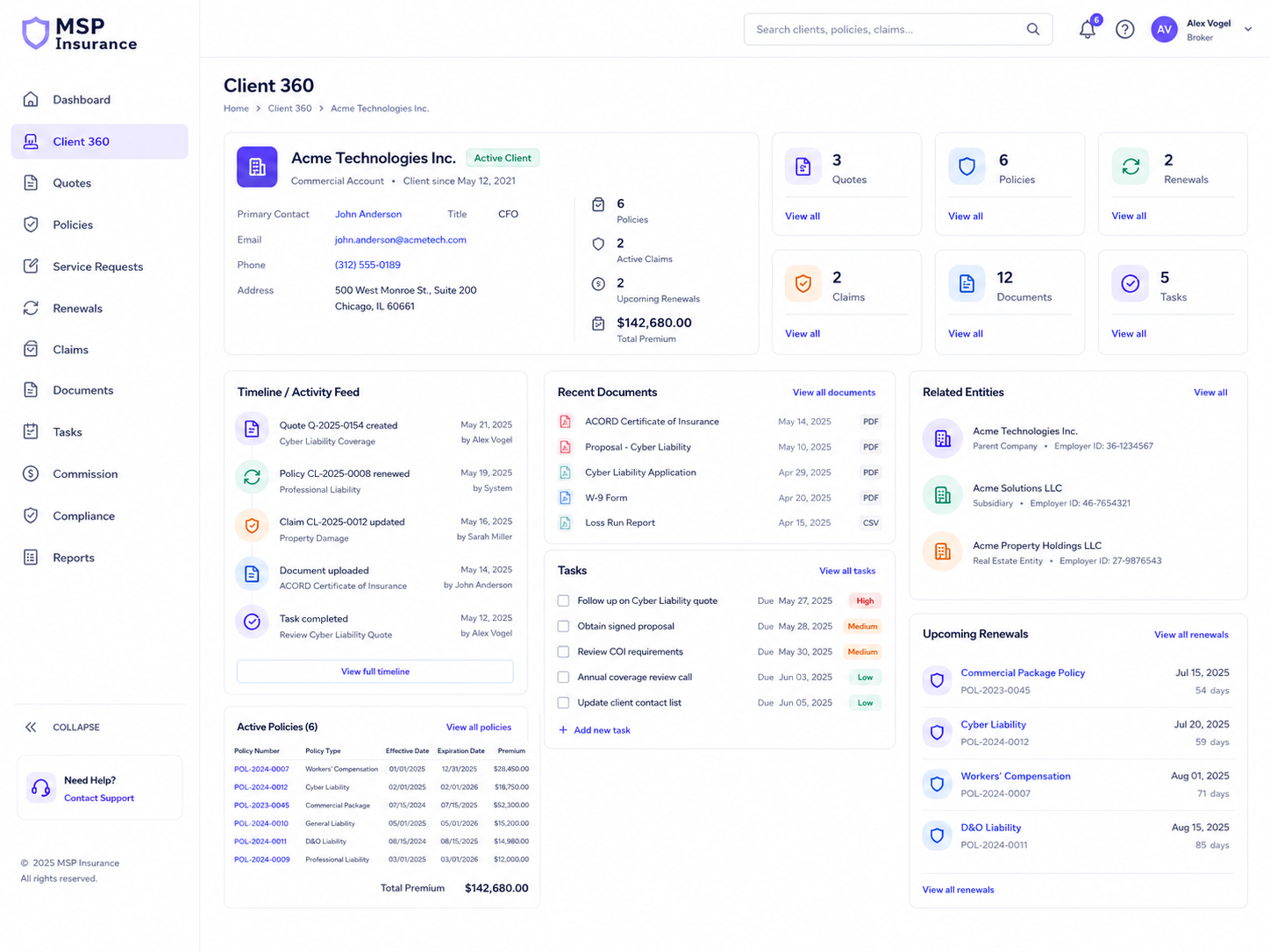
See the complete client profile, policies, claims, documents, interactions and tasks in one controlled workspace.
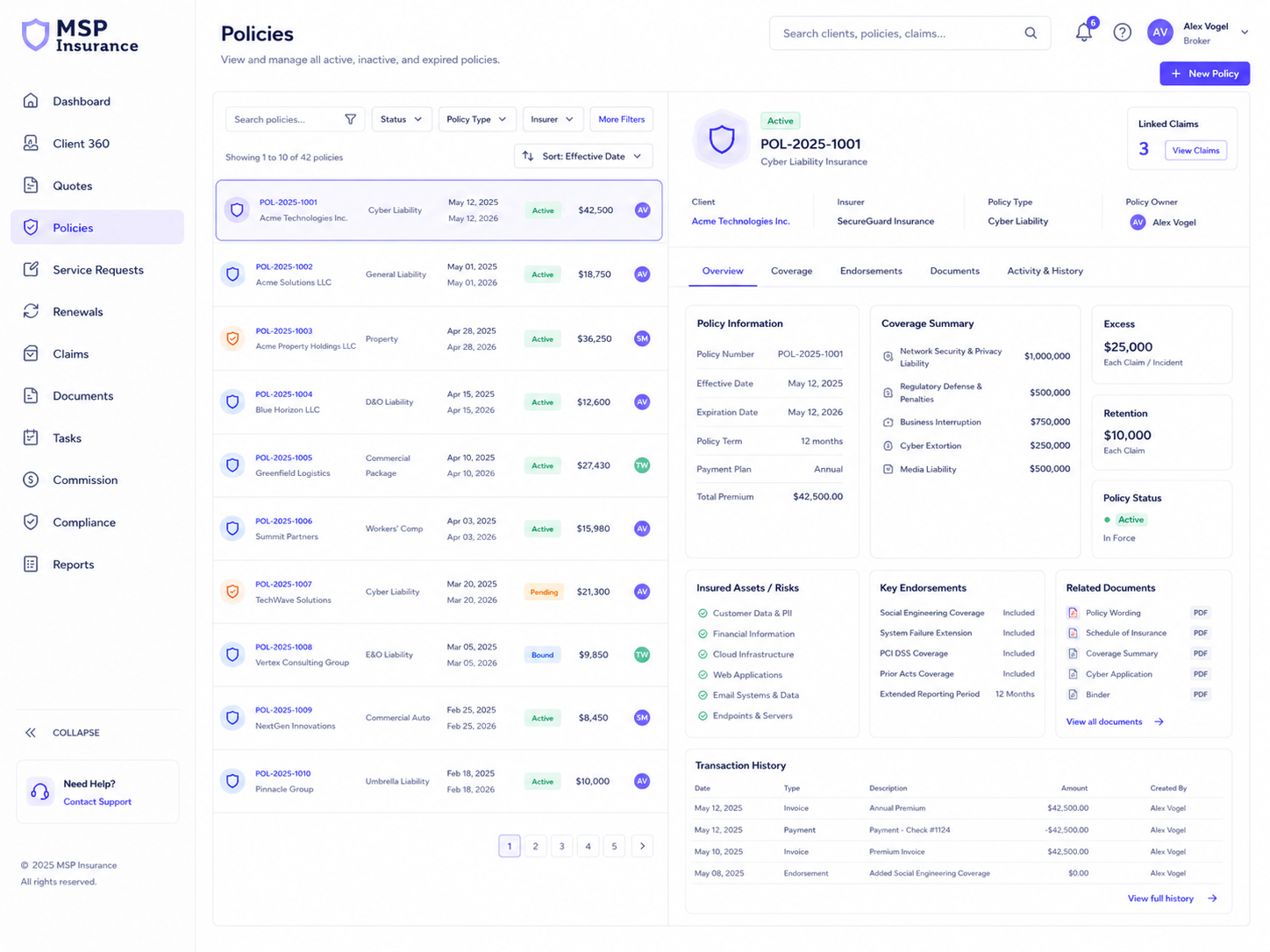
Capture covers, dates, premiums, endorsements and policy history in a structured, traceable record.
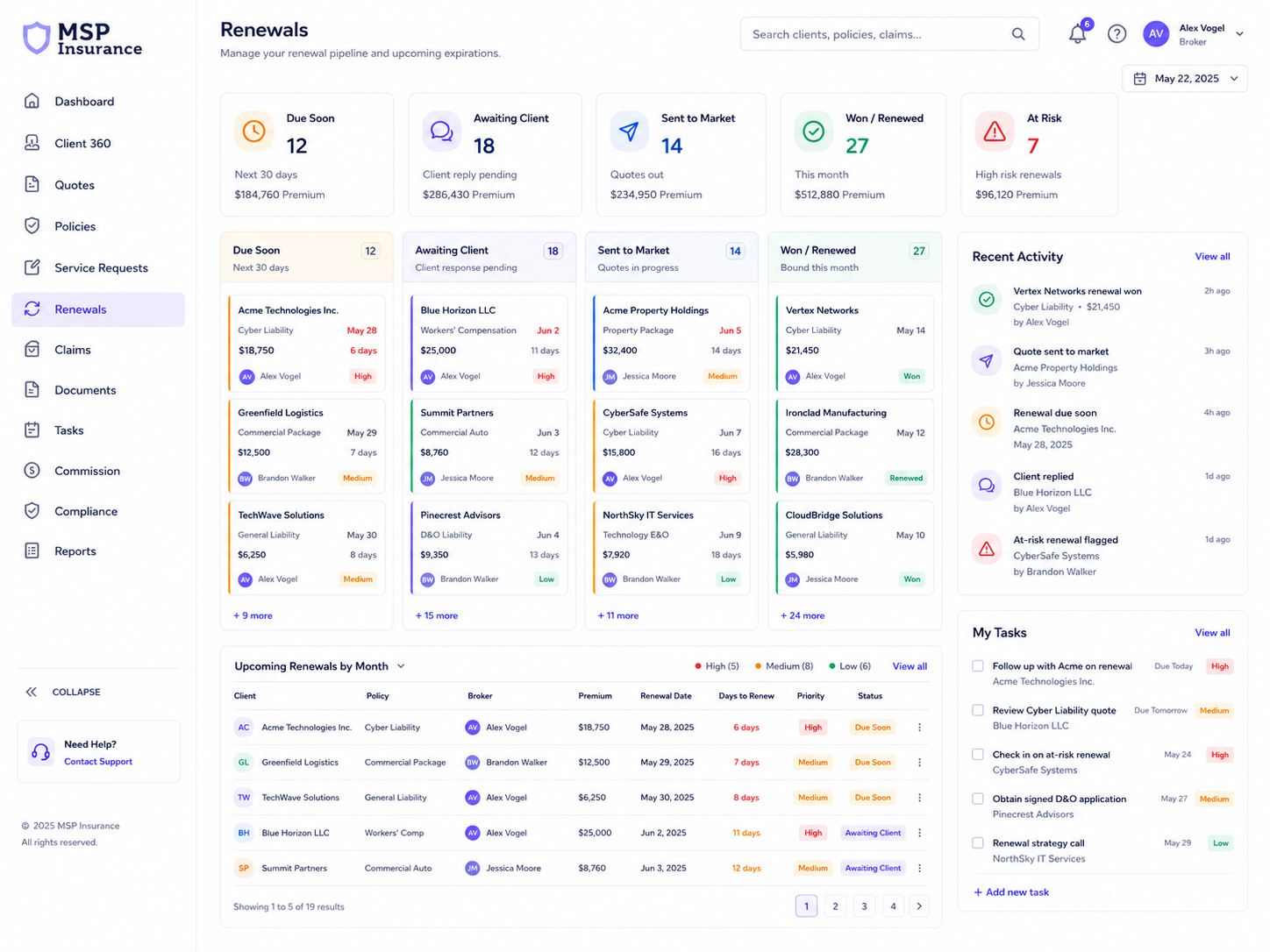
Track upcoming renewals, follow-ups, outcomes and exceptions with a clear servicing workflow.
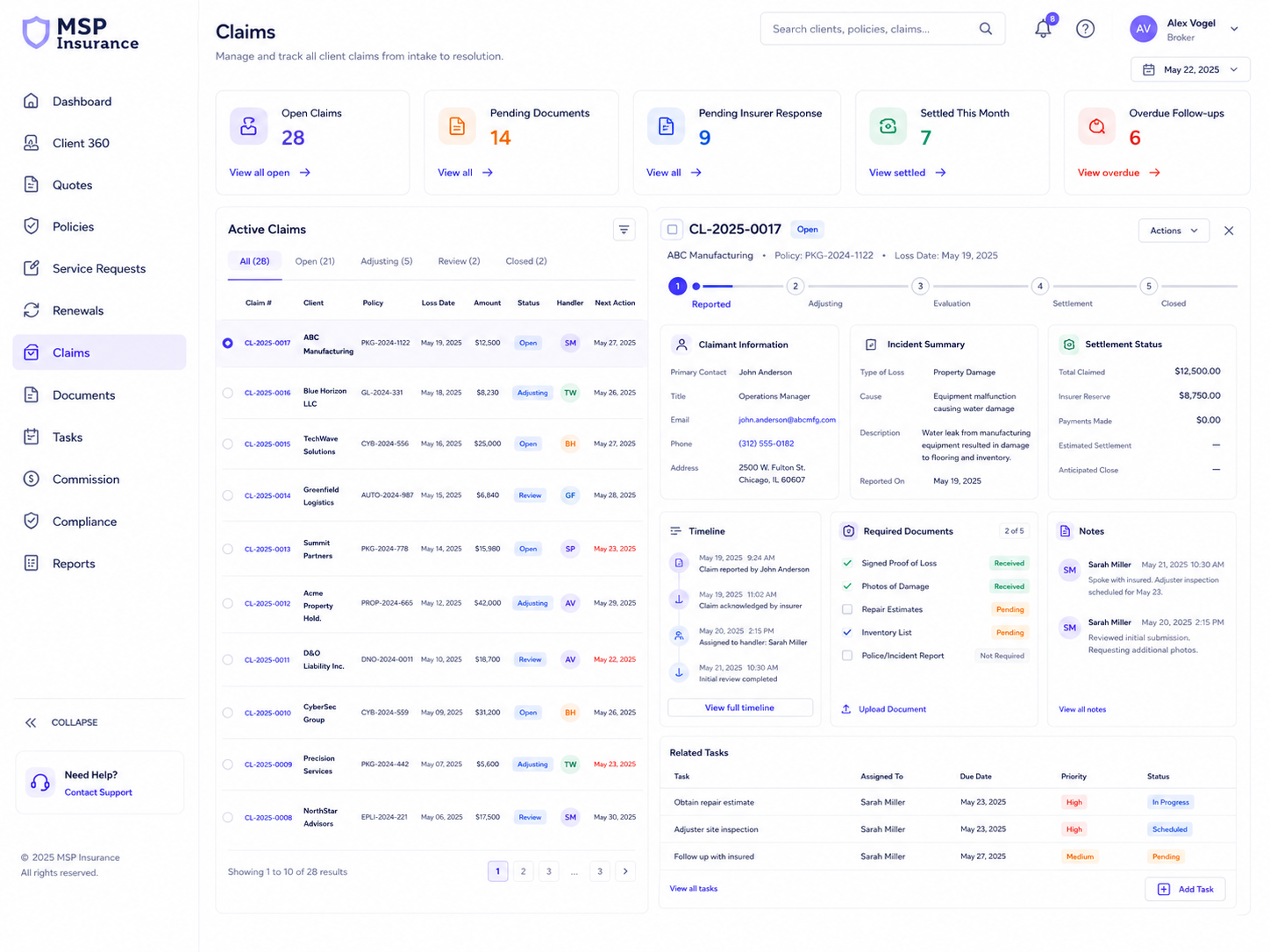
Manage the claim lifecycle, documents, updates and financial values from first notice to closure.
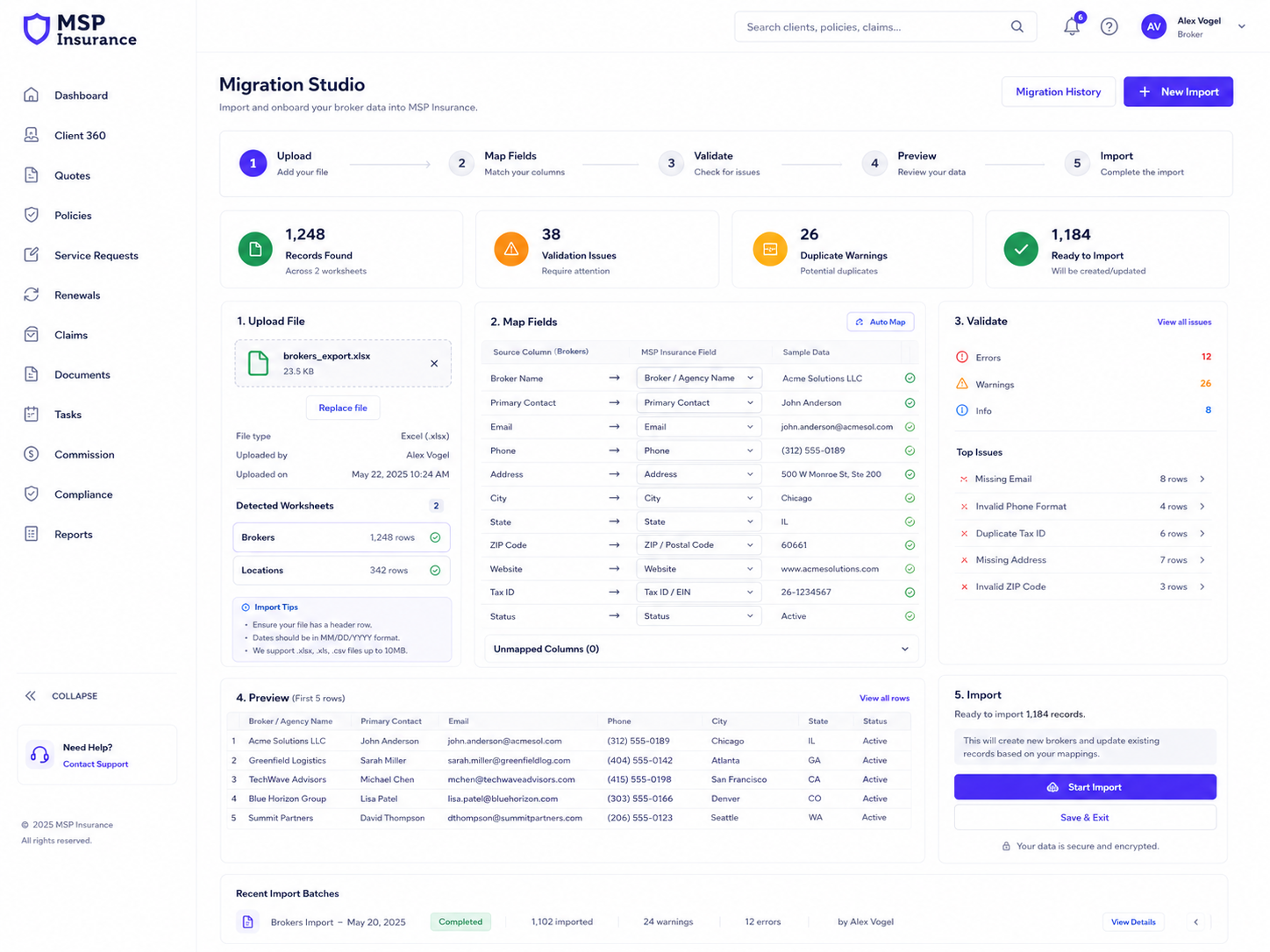
Import XLSX and CSV files using mappings, validation, duplicate checking and row-level traceability.
MSP Insurance is designed for brokerages that need more control, better visibility and less operational dependence on spreadsheets, inboxes and individual memory.
MSP Insurance is designed around the everyday broker lifecycle: find the client, place business, service the policy, manage renewals and claims, keep documents organised and surface exceptions before they become problems.
Work queues, renewals due, active claims, document issues, compliance items and commission exceptions.
A controlled client view across relationships, policies, claims, documents, tasks and communications.
Capture quote requests, insurer options, recommendations and the client’s final decision.
Manage policy identity, risks, covers, excesses, transactions and effective-dated policy versions.
Handle endorsements and mid-term policy changes through a structured, trackable process.
Run a renewal pipeline with work queues, reminders, activities, follow-up and outcomes.
Track the claim lifecycle, supporting documents, follow-up activity and closure in one shared workspace.
Upload, classify, retrieve and manage business documents with structured metadata and controlled storage.
Personal and team work queues keep important actions visible and owned.
Import commission statements, match expected versus actual values and work through reconciliation exceptions.
Capture advice records, requirements, complaints and representative evidence in a controlled process.
Give managers current operational insight into workload, exceptions, progress and performance.
Migration Studio is designed as a reusable product feature for importing existing XLSX and CSV books into structured broker data with validation, duplicate checks and traceability.
Discuss your migrationLoad XLSX or CSV files with worksheet and header detection.
Use suggested field mappings and reusable mapping profiles for recurring source formats.
Check required fields, data types, choices and probable duplicate records before commit.
Preview first, then import with row-level success/failure logs and a batch identifier.
The product uses Microsoft Power Platform as the foundation and is designed so each brokerage can operate in its own isolated production environment.
Each live brokerage is designed to receive a dedicated production environment. Customer-specific configuration and extensions are kept separate from the reusable product core.
Structured insurance data, relationships, auditability and business logic in a controlled system of record.
A responsive operational workspace for broker teams with controlled access to the records they need.
Renewals, reminders, notifications, approvals and integration workflows without relying on manual follow-up.
Large documents can be stored in an approved document repository while Dataverse retains structured metadata and links.
International deployments: local regulatory, compliance, retention and insurance-process requirements are validated and configured during implementation for the target market.
The implementation model is designed to be repeatable while still allowing brokerage-specific configuration and controlled extensions.
Review your current book, workflows, roles, insurer/product setup and migration sources.
Create the customer environment, install the managed product and configure identity, branding and connections.
Set brokerage details, staff roles, products, renewal rules, custom fields and required workflows.
Use Migration Studio to validate and move your existing Excel/CSV data into the platform.
Run user acceptance testing across client, policy, servicing, renewal, claim and document workflows.
Release the production workspace and continue with managed upgrades, support and optional extensions.
Share where your team is based, what you use now, and which parts of the broker lifecycle create the most manual work. We’ll come back to you to discuss fit, pilot options and migration.
We’ve received your details and will get back to you to discuss your brokerage, the platform and the next step.
Back to MSP Insurance